
Well, it’s time to write what is, for me, the most exciting article, as I’ve been eager to dive into working with LLM APIs in the context of a real-world business project. As a backend developer, like many others, I’ve frequently participated in company meetings, after which someone from the management team would sit down to fill out the meeting minutes in Confluence. On one hand, this was a matter of company standards, but on the other, it proved to be incredibly useful — action items that would otherwise be quickly forgotten were documented, allowing team members to revisit details, create user stories, or plan future activities.
To implement this project, I decided to use the following approach:
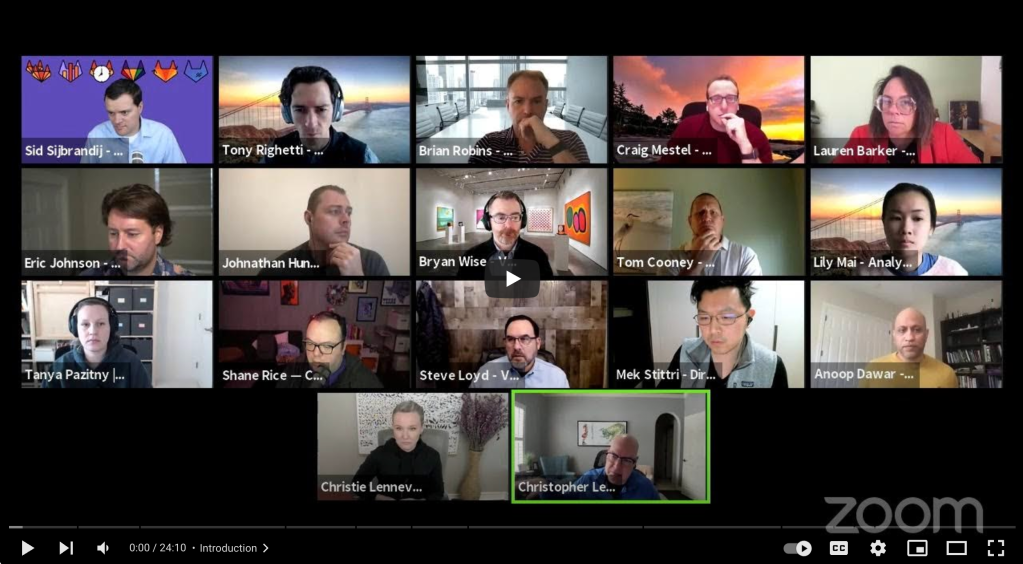
- Public meetings from the internet: Fortunately, the GitLab YouTube channel offers a variety of publicly available meetings, covering topics ranging from engineering discussions to marketing team updates and product department sessions.
- Audio processing: Meetings are converted into MP3 format, and then processed using the Transcribe service in asynchronous mode. A job handles the audio file and generates subtitles.
- Subtitles and time markers: These are passed to the LLM, where a prompt is constructed to generate a data structure aligned with the standard format for Confluence meeting minutes.
- Publishing to Confluence: The structured output is used to create and publish a meeting minutes page directly in Confluence.
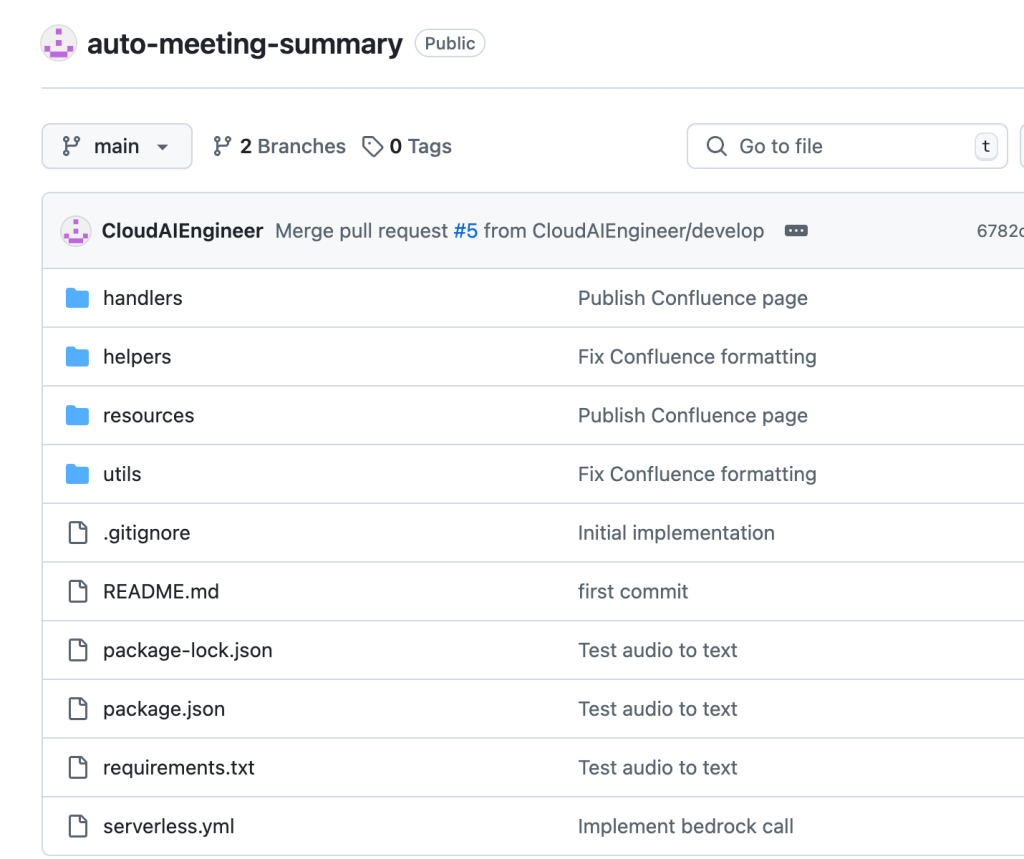
Please check the link to the repository with the implementation: auto-meeting-summary.
From segments to summaries
This was an intriguing experience, and the results exceeded my expectations. Amazon Transcribe returned a set of small audio segments, with a single presentation often spanning multiple segments. I had doubts about whether the LLM could accurately identify which segments belonged to the same presentation, calculate the correct timestamps, and extract participant names.
While I didn’t implement this functionality, it would be relatively straightforward to add an SNS notification system to alert managers via email, prompting them to review the generated Confluence page. The LLM currently lacks the capability to tag individuals in Confluence, only extracting the names of presenters. For this reason, I see the post-processing phase, moderated by a human, as a valuable addition.
Architecture overview
Let’s take a closer look at the project architecture. It’s relatively straightforward, and implementing it was an enjoyable experience due to the simplicity of integrating with AWS services. Everything worked seamlessly on the first attempt, and the implementation took just a couple of sessions, each around four hours.
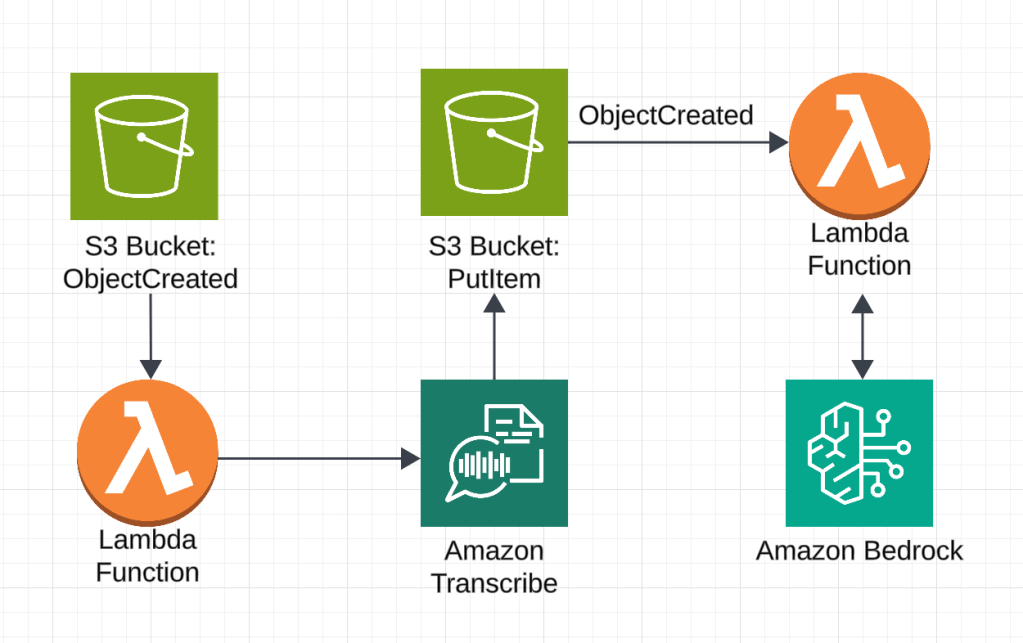
As in my previous projects, I chose to stay within the Amazon ecosystem. For generating transcripts from the meeting recordings, I used Amazon Transcribe, while Bedrock handled the summary generation. I also created a trial account in Confluence to explore the API requirements for submitting pages in the correct format.
Key Project Components
- S3 Buckets: Store meeting audio files and their transcriptions.
- Lambda Functions: Automate transcription and meeting summary generation workflows.
- Confluence Integration: API keys and space keys securely stored in AWS Parameter Store for safe access.
- Serverless Framework: Simplifies infrastructure deployment and resource management.
- Anthropic Claude-v2: Selected for its ability to handle large transcription datasets and generate structured outputs.
- Preprocessing Tools: Scripts for converting YouTube videos to MP3 and cleaning transcripts for prompt construction.
For the project implementation, I used an architecture based on AWS, where meeting data is stored in S3 buckets, and transcription processing and summary generation are handled by AWS Lambda. The Confluence API key and space key are securely stored in AWS Parameter Store for safe access. To automate the process, I used the Serverless Framework, which simplified deployment and infrastructure management. YouTube videos were downloaded and converted to MP3 format using local scripts, found in the helpers folder of the repository.
For generating accurate and structured summaries, I chose the Anthropic Claude-v2 model, as it is well-suited for processing large datasets and creating structured reports. To deploy the project, simply deploy the stack using the Serverless Framework and activate the required model in Amazon Bedrock. After this, upload the MP3 file to the meeting bucket.
Challenges
- Model Throttling:
Initially, I experimented with a short, one-minute TED Talk meeting and later used a 40-minute meeting from the GitLab YouTube channel. The transcript contained over 4500 words, and with the default context window of 5000 tokens for my account’s model in Anthropic, I faced throttling issues.
Solution: Consider compressing segments before generating the meeting minutes using an LLM or NLP tools. - JSON Structure Inconsistencies:
To receive a consistent JSON structure from the LLM, I defined the expected fields in the prompt and requested the response to be only in JSON format. However, the model often added extra comments or formatted the JSON in ways that weren’t consistent (e.g., wrapping it in ‘’’json{}’’’ or including it as part of a string).
Solution: Explicitly instructed the model to enclose the JSON in the structure ‘’’json{}’’’ and provided a regular expression to parse the structure. - Long Processing Time:
For the 40-minute meeting, the Lambda function responsible for creating the summary took over a minute to process, which could lead to timeout issues.
Solution: Take the processing time into account when setting timeouts in the system. - Segment Identification and Processing:
The model had difficulty identifying which audio segments belonged to the same presentation, calculating the correct start and end times, and naming participants from multiple audio segments.
Solution: Consider post-processing by moderators and using additional notification systems to ensure the output meets expectations.

Conclusion
Take a look at the screenshot of the meeting that I created as a gallery in three parts. This is an engineering team meeting from GitLab.
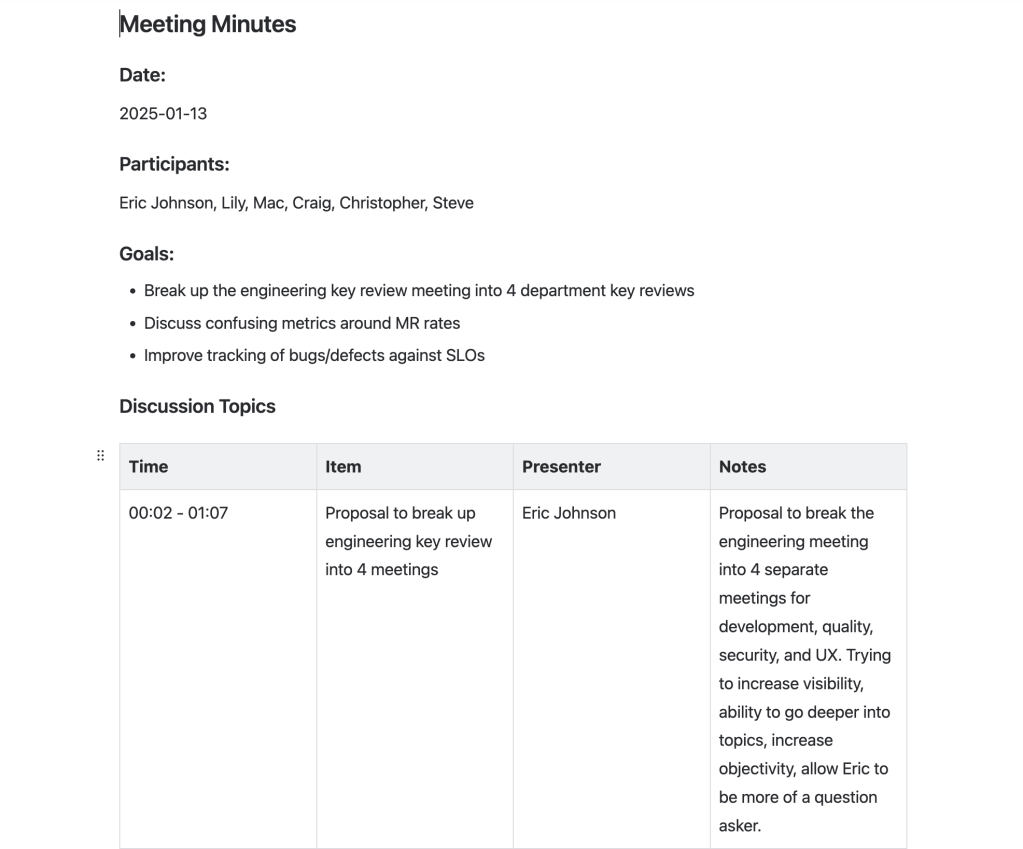
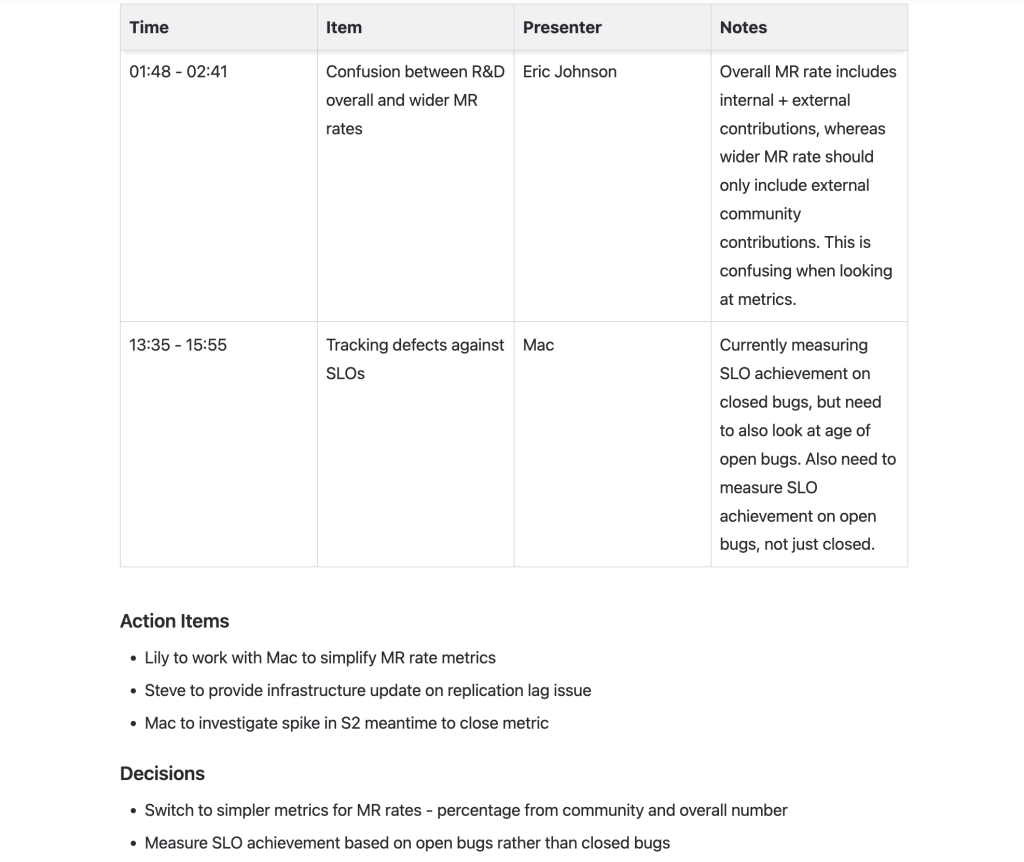
Looking at the result in the screenshot, I find it impressive. The extracted meeting points are well-organized and concise. The model understood how to calculate the start and end times for intervals, identified participant names, and outlined the meeting objectives effectively.



 SmartCloud
Leave a comment