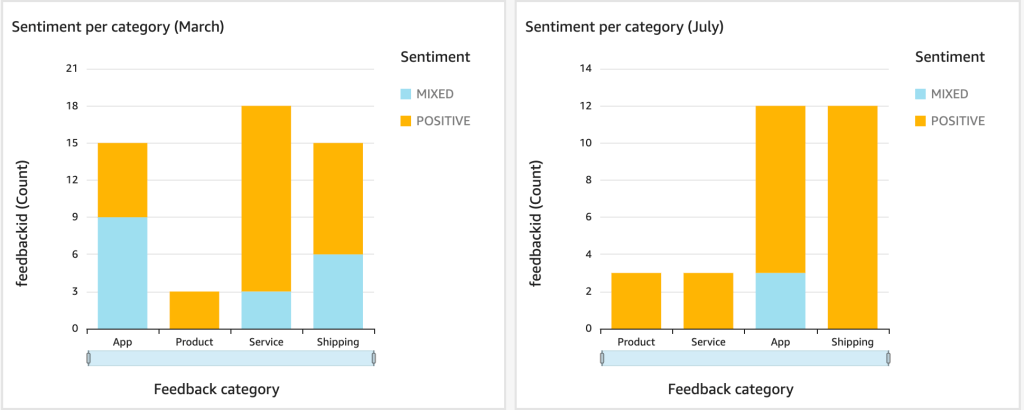
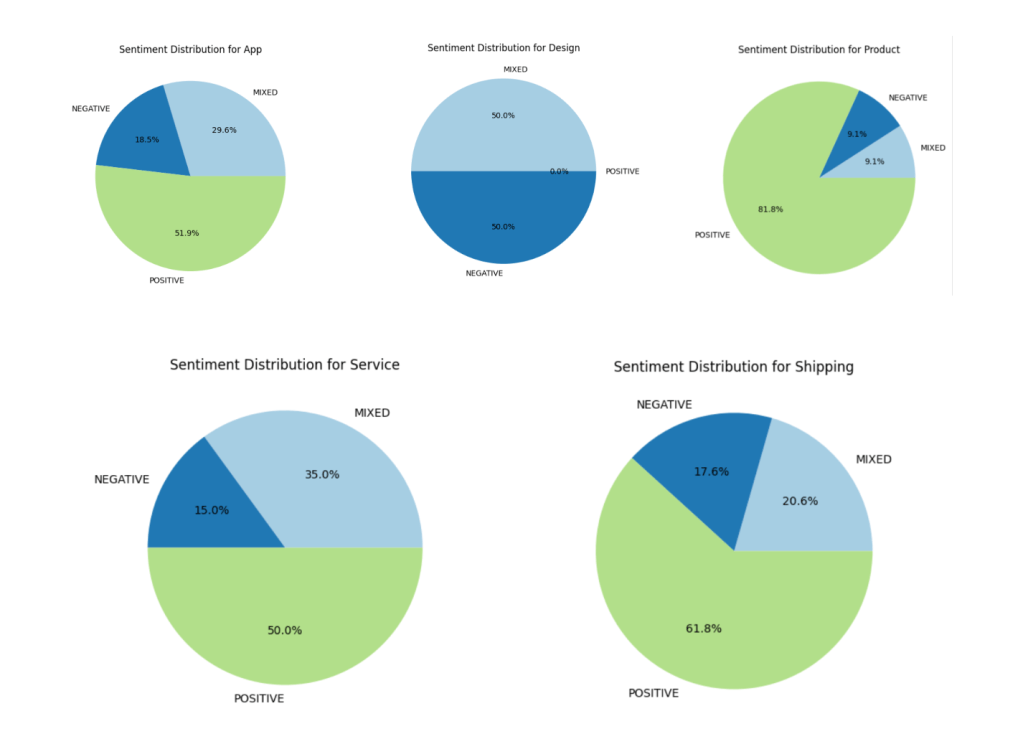
Previously, I built a sentiment analysis pipeline using AWS Step Functions and Lambda, suitable for moderate feedback volumes. Also, looking ahead, I can say that I built an analysis in QuickSight. Here is a list of all the related articles.
- Building a Sentiment Analysis Pipeline on AWS (before)
- Prototyping Insights from Customer Feedback with Pandas (after)
- From Feedback to Insights: Sentiment Analysis with Athena and QuickSight (after)
As feedback scales, a more efficient solution is needed. This article presents a high-performance architecture using AWS Lambda and SQS, offering higher throughput, ideal for handling large-scale feedback efficiently. Please check repo link: Sentiment Analysis SQS Lambda.

Architecture Overview
The new architecture leverages AWS services to provide a scalable and efficient sentiment analysis pipeline, optimized for high-throughput workloads. Here’s a breakdown of the architecture and its key components.
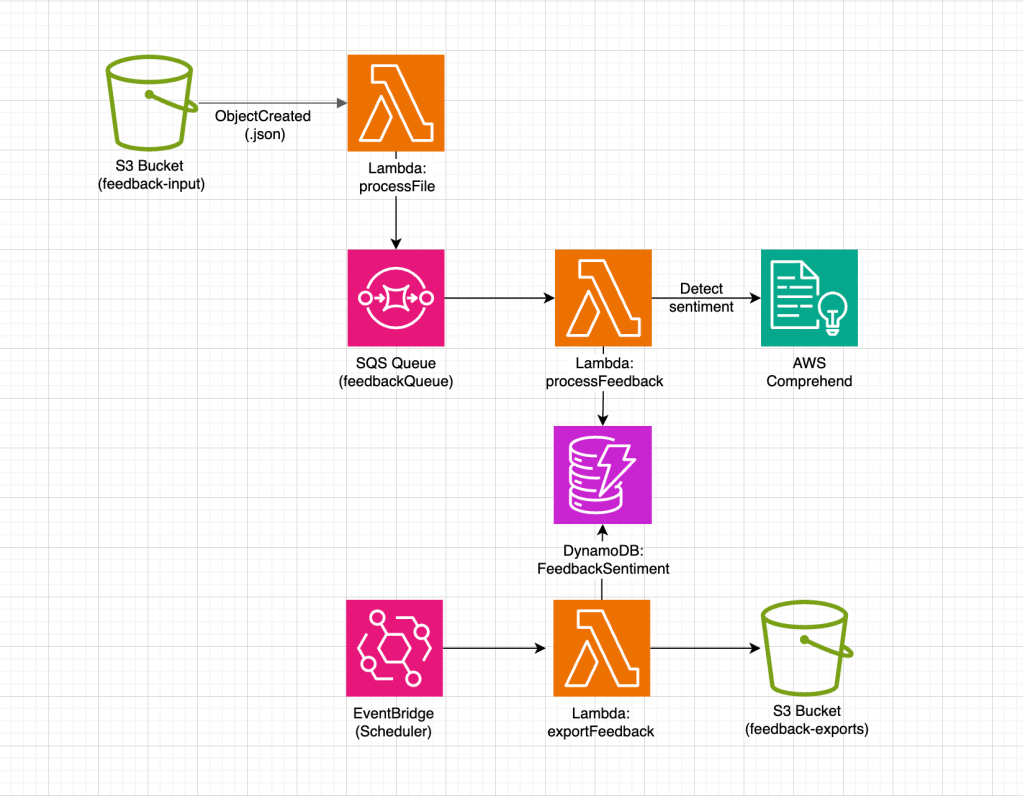
- S3 Bucket: Acts as the entry point for the feedback pipeline, storing JSON files containing customer feedback.
- Lambda (processFile): Triggered when a new file is uploaded to the S3 bucket. It parses the file, extracts feedback entries, and sends them to the SQS queue for further processing.
- SQS Queue (
feedbackQueue): Serves as a buffer between the file processing and feedback analysis stages, allowing the system to handle high volumes of feedbacks by queuing entries. - Lambda (
extractAndProcessFeedback): Processes messages from the SQS queue in batches. It performs sentiment analysis on each feedback entry and prepares the data for storage. - DynamoDB + S3 Bucket: Stores the sentiment analysis results along with relevant metadata, enabling future data analysis. In this version, I decided to shift the approach towards a more data lake–style architecture, because unlike the previous version focused on individual complaint handling, this one is designed to collect data for statistical analysis.
Data storage and export design
Unlike the previous Step Functions approach focused on individual complaint tracking for operational response, this solution is designed as a data lake–oriented pipeline for analytical workloads.
Here, feedback is not stored for immediate managerial action but systematically accumulated, structured, and prepared for scalable statistical analysis.
The following design outlines the key characteristics of this data-centric approach.
- DynamoDB is used as an intermediate staging layer and tracking store, not as a final data source.
- Each record includes an
exportedflag to control export state and enable resilient reprocessing. - TTL is applied after successful export to automatically clean up processed data.
- A scheduled Lambda (cron-based) handles batch exports instead of event-driven triggers.
- Only records with
exported = Falseare selected, ensuring safe retries and no duplicate exports. - Exported data is written to S3 in a data lake–like structure optimized for Athena queries (year/month/day partitioning).
Key Performance Optimizations
This architecture improves performance by using SQS batch processing with a batch size of 5. Each extractAndProcessFeedback Lambda invocation processes up to 5 messages, reducing overhead and boosting throughput. Parallel Lambda instances scale with the account’s concurrency limit — for example, with 1,000 concurrent executions, up to 200 batches (1,000 ÷ 5) can be processed simultaneously, efficiently handling large feedback volumes.
Concurrency and Scaling
- SQS batches up to 5 messages, optimizing Lambda invocations.
- Parallel Lambda instances scale based on the account’s concurrency limit, ensuring efficient resource utilization.
Cost Optimization
- SQS and Lambda incur lower costs for large-scale processing compared to Step Functions.
- Batch processing reduces the number of invocations, helping control costs in high-throughput scenarios.
To optimize performance, start with a batch size of 5 and test the Lambda function’s execution time and memory usage. If the function processes messages quickly without timeouts, consider increasing the batch size to 10 or 20, but monitor for potential issues like increased processing time or memory consumption.
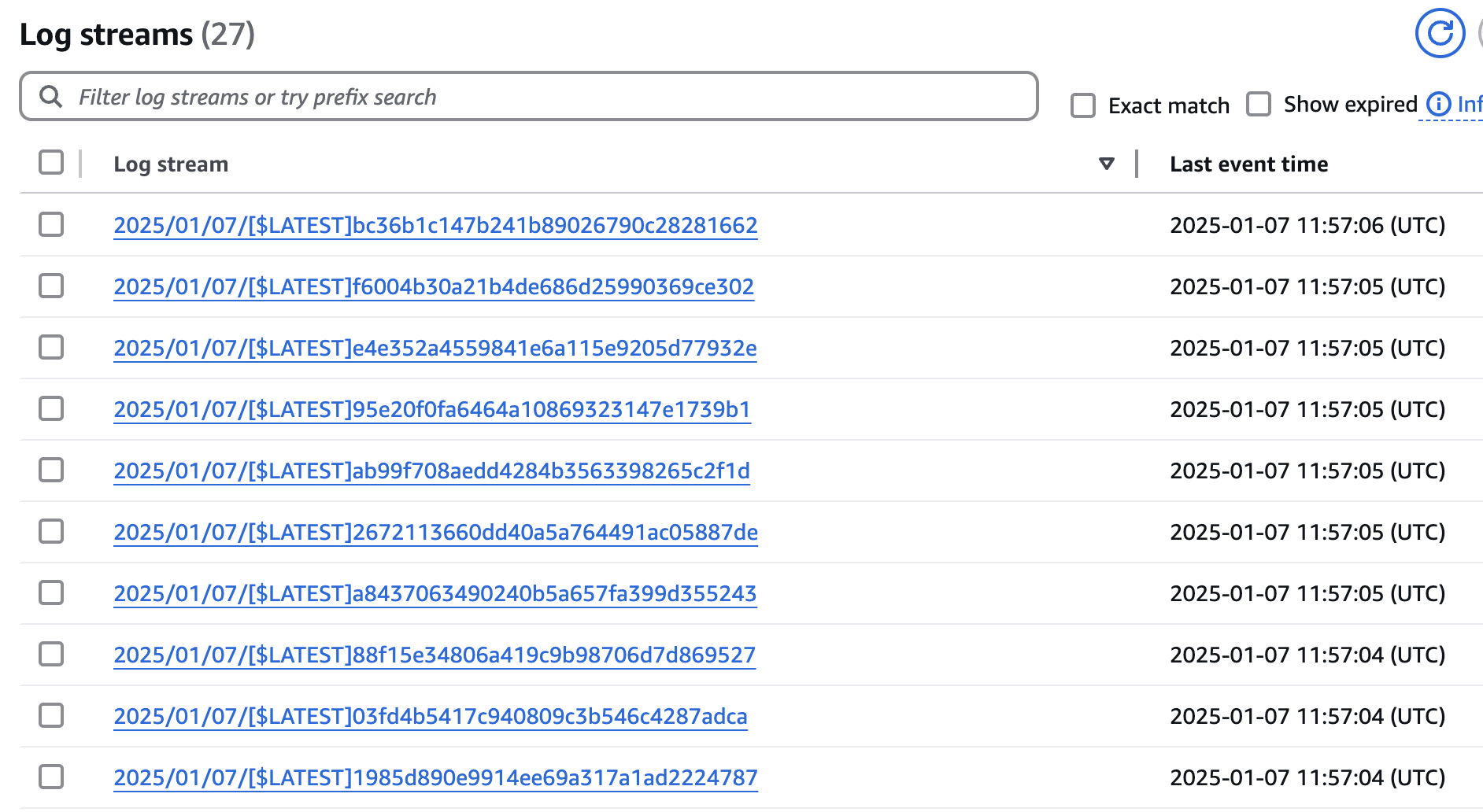
In my test AWS account, the Unreserved Concurrency is limited to just 10 Lambdas. Out of curiosity, I uploaded approximately 100 feedbacks in a single file, and in CloudWatch, I saw that nearly 10 instances were spun up in parallel, each processing its own number of batches. If you add logs for the batches, you can observe that messages are received in groups of up to 5 feedbacks. However, the queue parameter Batch Size = 5 does not guarantee exactly 5 messages per batch, even if there are enough messages in the queue to form such a batch.
10 nearly parallel streams in CloudWatch:
Conclusion
This architecture demonstrates a practical and widely used pattern for handling high-volume data flows through asynchronous workers and queue-based decoupling — a core competency for any cloud engineer.
Key outcomes of this approach:
- Proven pattern for amortizing large input streams with predictable scaling
- Suitable for a wide range of workloads requiring asynchronous processing
- Transition to a data lake model instead of individual operational tracking
- DynamoDB redesigned for analytical use with date-based sharding for efficient export scoping
- TTL introduced for controlled data lifecycle management
- S3 structure optimized for Athena through clear partitioning strategy
The result is a clean, scalable pipeline built for systematic data aggregation and analytical consumption.




 SmartCloud
Leave a reply to Prototyping Insights from Customer Feedback with Pandas – SmartCloud Cancel reply